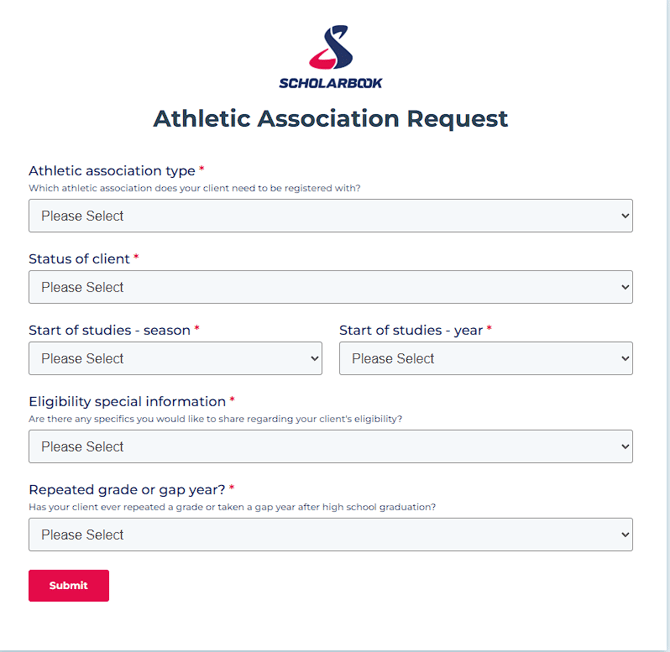
***Please use incognito mode for this step of the process. We need to use incognito mode for all forms to prevent the browser from saving and auto-filling previously entered data. Since these forms are used multiple times, cached information could lead to incorrect or duplicated entries. Using incognito mode ensures that each submission starts with a clean session and accurate data input.***
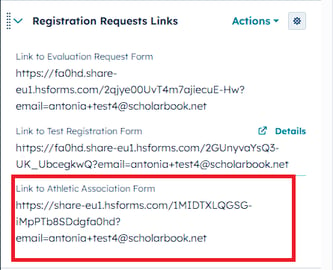
On your contact page, find the section Registration Requests Links and then the property Link to Athletic Association Form in the left sidebar. (See screenshot below) Then click on the arrow to open the form, this will open a new window.
This link will not be available for you until the following are completed:
1. City and Street address infos filled out
2. ID uploaded
3. Mobile phone number is known
4. Nam, city and country of club are known
Tip: If your client has not paid their first bill yet, this request will have to be approved by the head of your sport/team lead first.
In the form please fill out all mandatory fields and then submit the form when you are done.
The submission will trigger a ticket for the registration team and you can see the ticket on the right hand side in your clients contact page. There you can see the status of the ticket and who is responsible for the request.