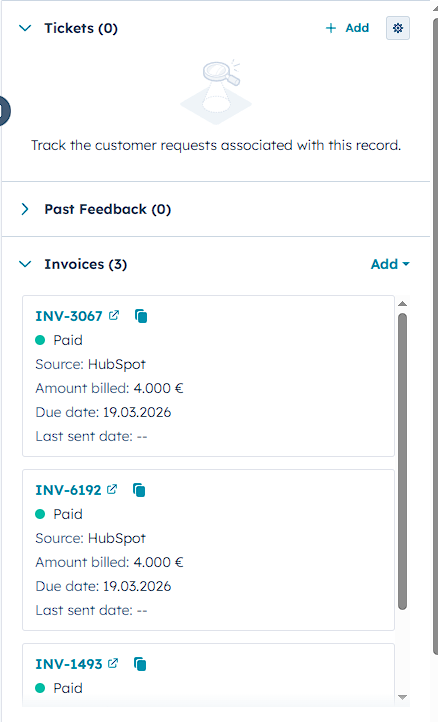
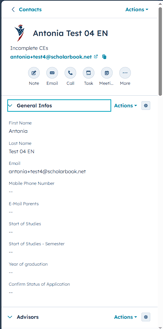
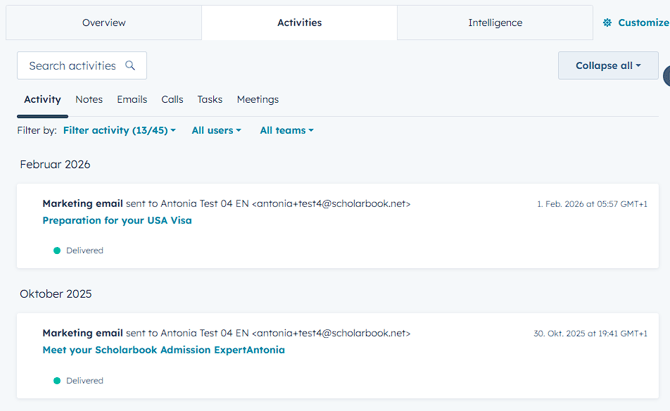
When you open a client the contacts page opens. This page is divided into three different sections:
1. The left side is divided into different sections and those include all infos that you are going to need to see about your client. This is also the section you are going to use to send out AE's and make changes to the clients data. (See Screenshot)
2. The middle section shows you all activites related to the client. You can see which AE's were sent out to the client in this section. The middle section also offers an overview of other relations to the client. (See Screenshot)
3. The right side gives you an overview of all associations to the client. You can see all tickets, feedback, invoices and uplaods on the right hand side. You can always open all associations by clicking on them, which will then give you all infos about that ticket, invoice, feedback etc. (See Screenshot)