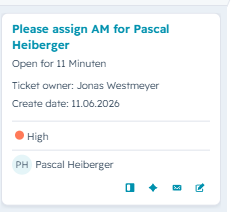
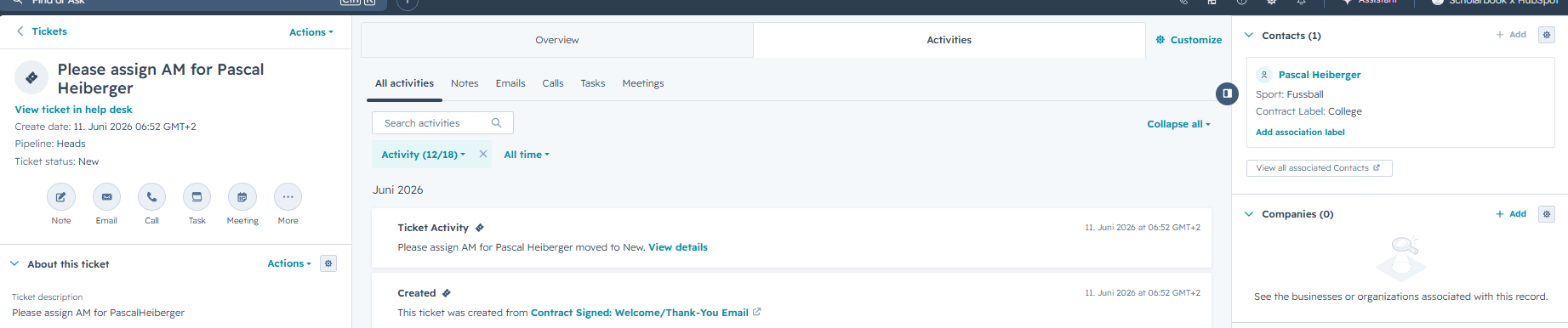
After you receive an info that there is a new ticket to assign an Athlete Manager for client XVZ please follow the steps below. You can access the clients contacts page from the ticket overview by clicking on the name (see screenshot) or when you open the ticket you can click on the name on the top right unter Contacts (see screenshot).
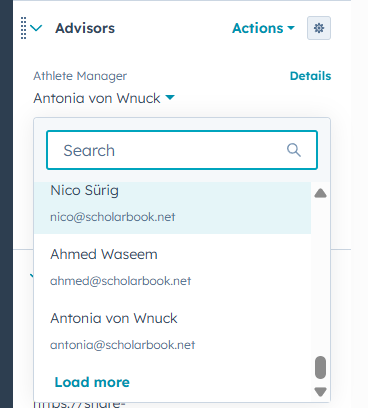
Then on the clients contact page, find the section Advisors and then the property Athlete Manager in the left sidebar. (See screenshot below) Then select the Athlete Manager you want to assign. When this is saved the Athlete Manager intro Email will be triggered automatically, the ticket to Assign an AM will also be closed automatically once an AM is assigned.