
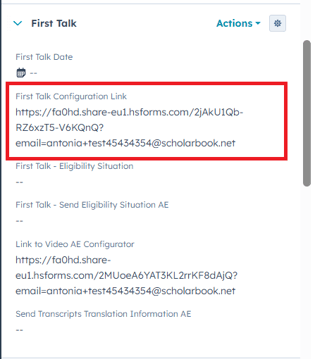
On your contact page, find the section First Talk and then the property First Talk Configuration Link in the left sidebar. (See screenshot below) Then click on the arrow to open the form.
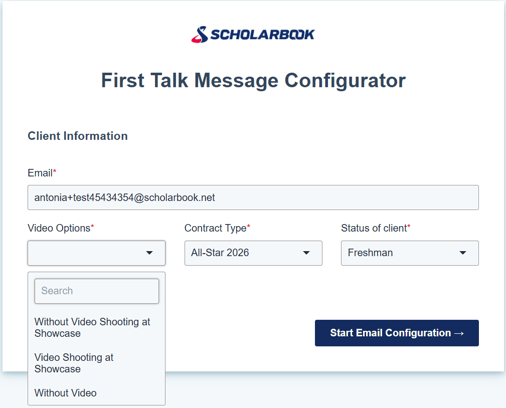
In the form then select the video option that fits best for your client. (See screenshot below)
The Contract Type and Status should be pre filled automatically but please double check those infos.
Afterwards please make sure the edit the form the way you want it to and carefully read the Notes as well as everything written in red.
When you submitted the form you are going to receive the email in your inbox. You can then carefully read through your version of the email and approve or reject the email.
If you approve the email will be sent to your client.
If you reject you can go back into the form and redo all of your changes (Note: You will need to make all changes again).