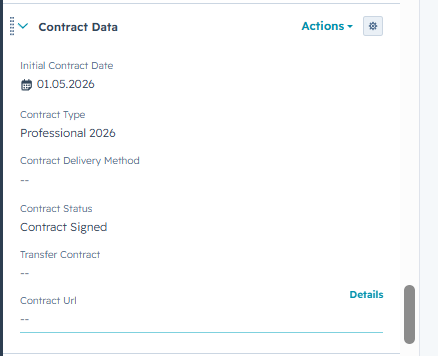
On your contact page, find the section Contract data . (See screenshot below)
Please do the following:
1. Initial contract date
2. Select the contract type
3. Select the contract delivery method
4. Select the contract status
Please make sure to always set the contract status last because otherwise the email that includes the sign up link to the webapp won't be sent out to the client.
After filling out all of the infos the contract info will be sent out to everyone and you can go ahead and assign an Athlete Manager.